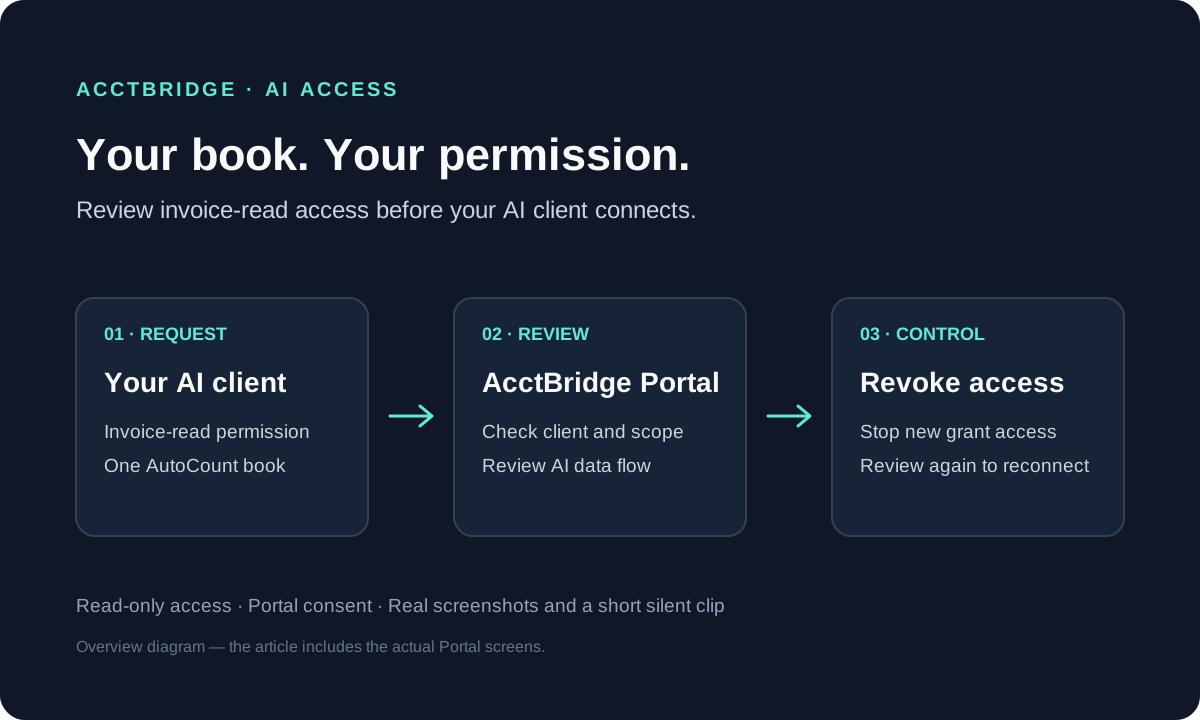
AI & MCP6 min read
AutoCount AI access: authorize and revoke in AcctBridge Portal
Use real Portal screenshots and a short recording to review invoice-read permissions, choose an AutoCount book and revoke an AI client authorization.
Read articleAcctBridge blog
Learn how to review AI access, manage MCP permissions and connect your accounting software with AcctBridge. Follow visual guides alongside setup and security notes.
Use real Portal screenshots and a short recording to review invoice-read permissions, choose an AutoCount book and revoke an AI client authorization.
Read article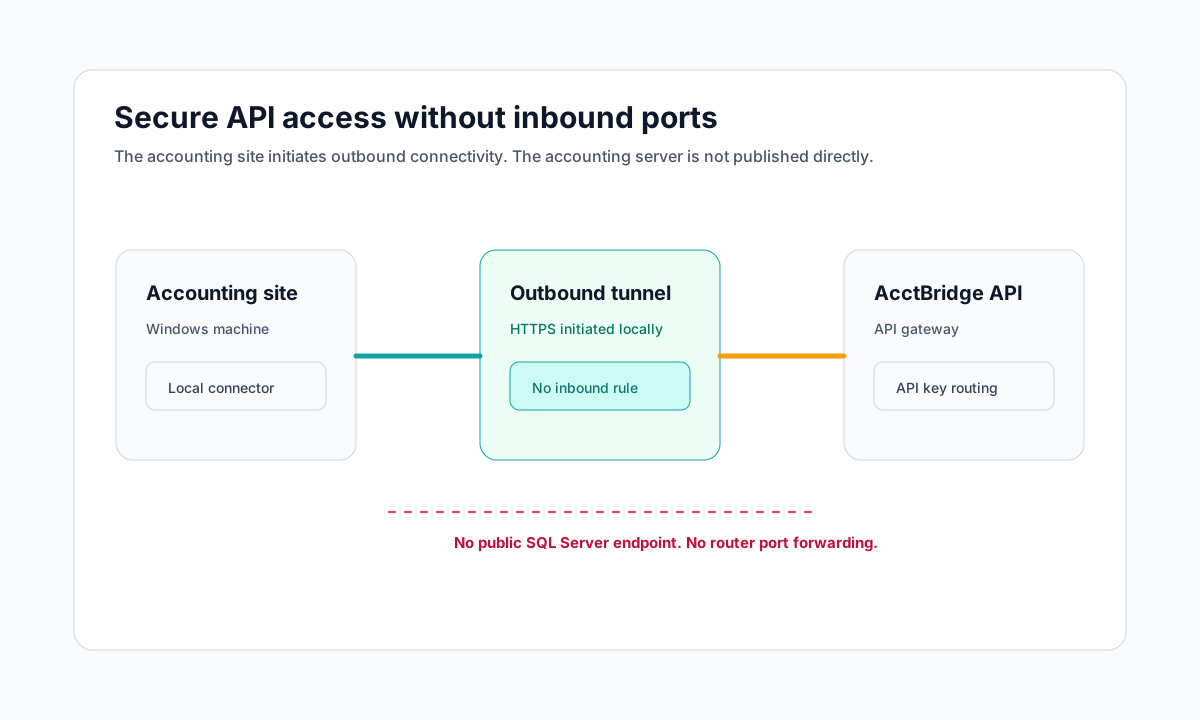
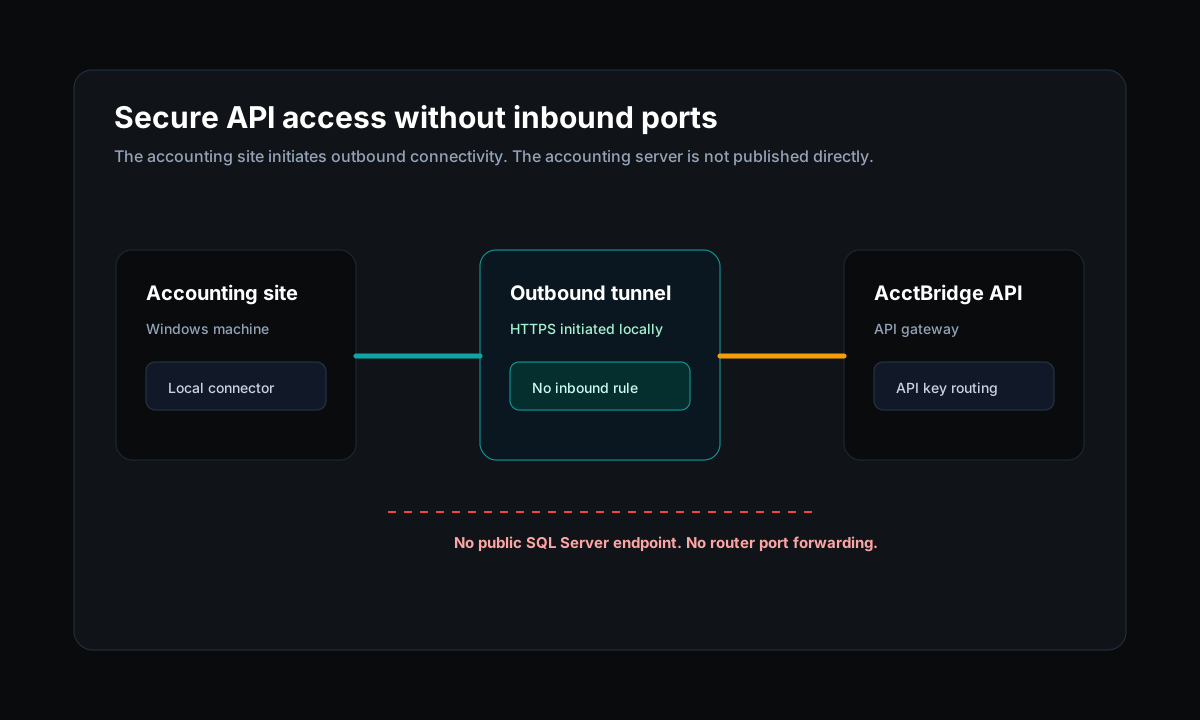
AcctBridge uses an outbound tunnel model so accounting machines do not need inbound firewall rules, static IPs, or public database exposure.
Read article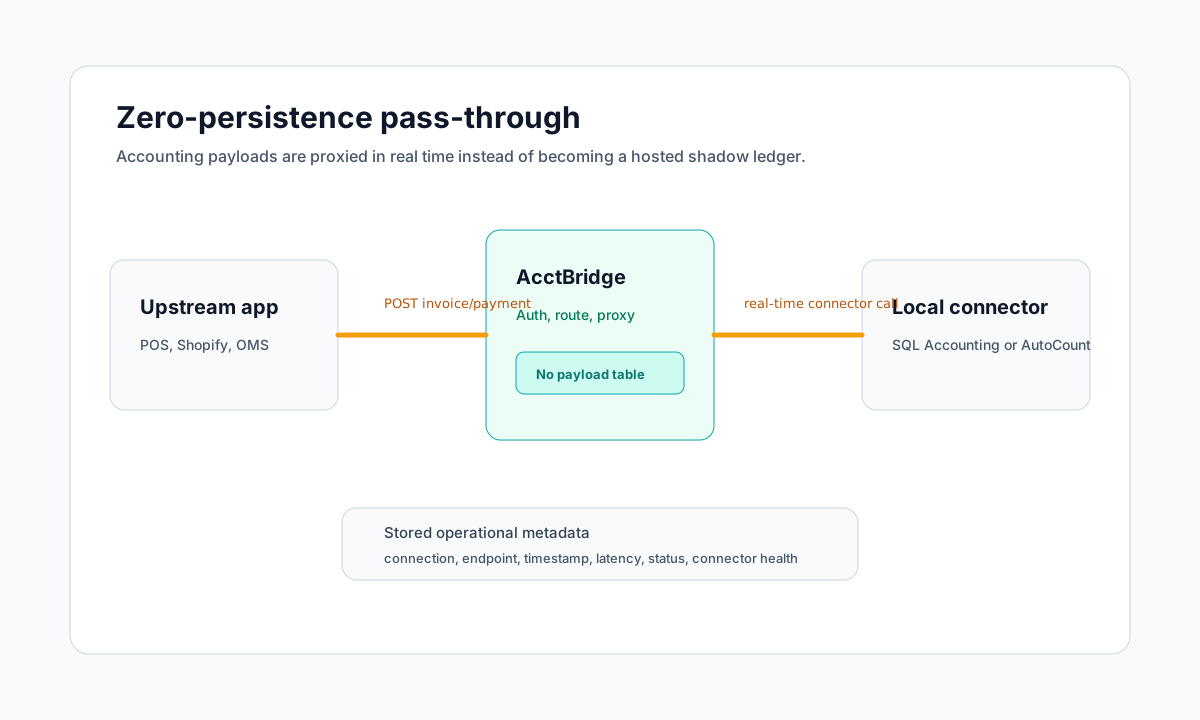
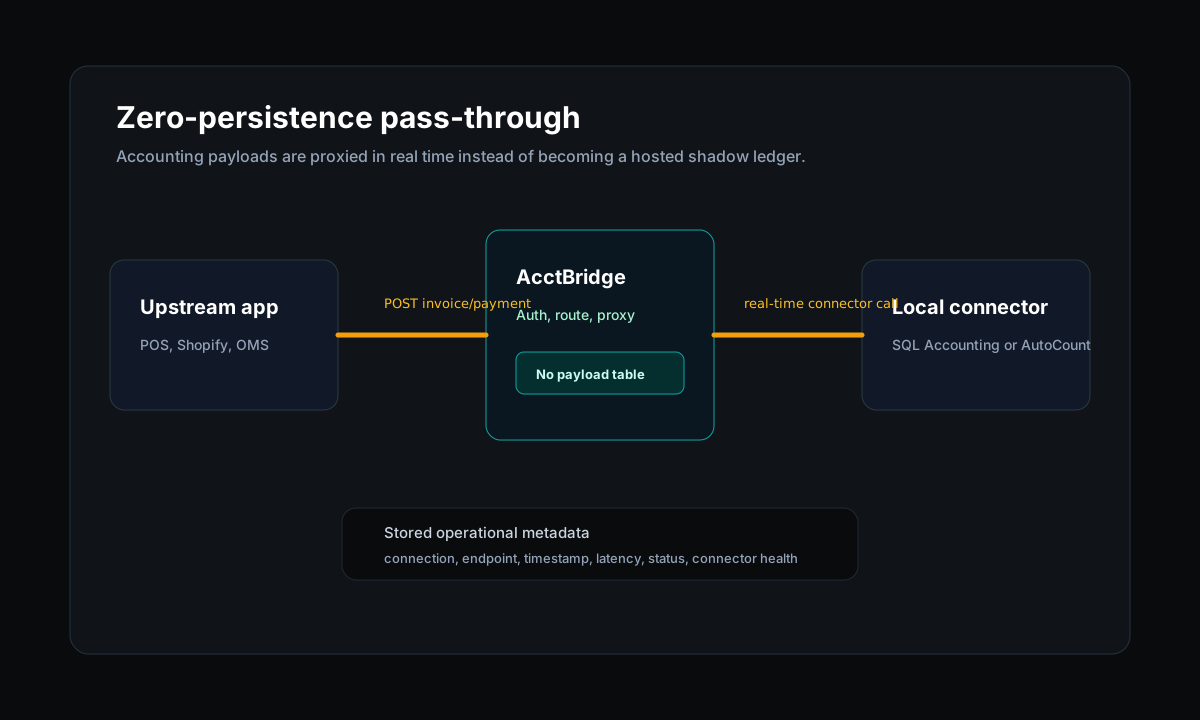
AcctBridge proxies supported SQL Accounting and AutoCount requests in real time and avoids storing customer financial payloads in the hosted control plane.
Read article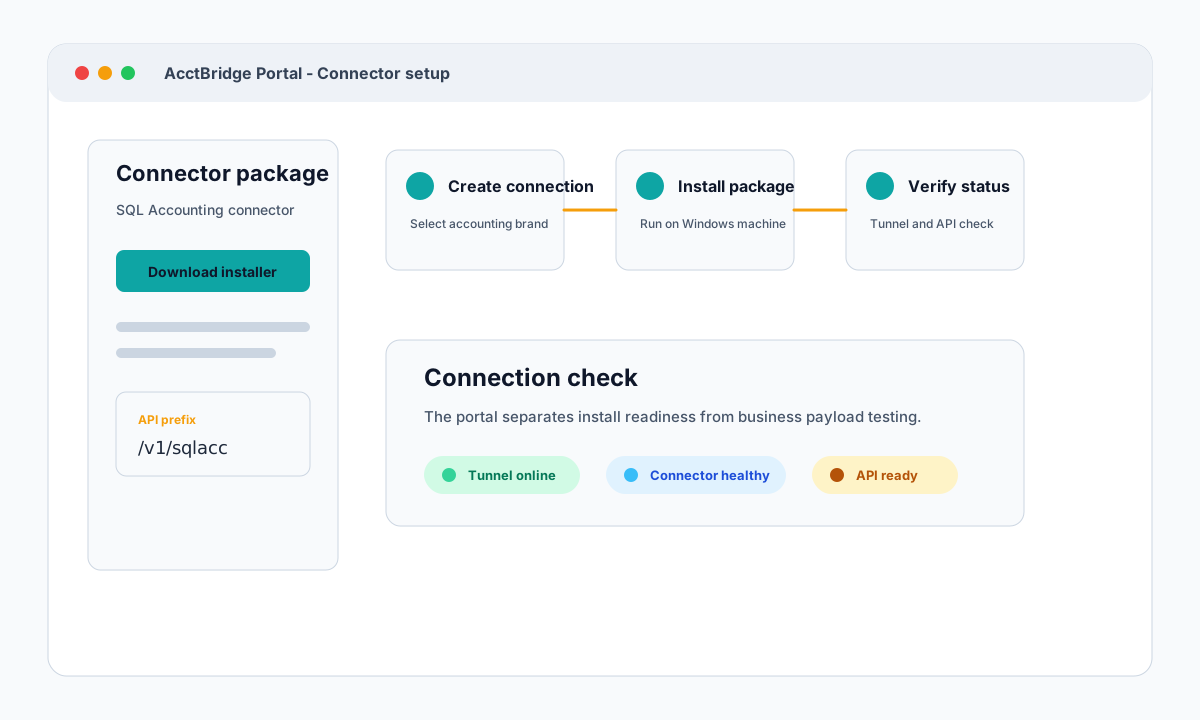
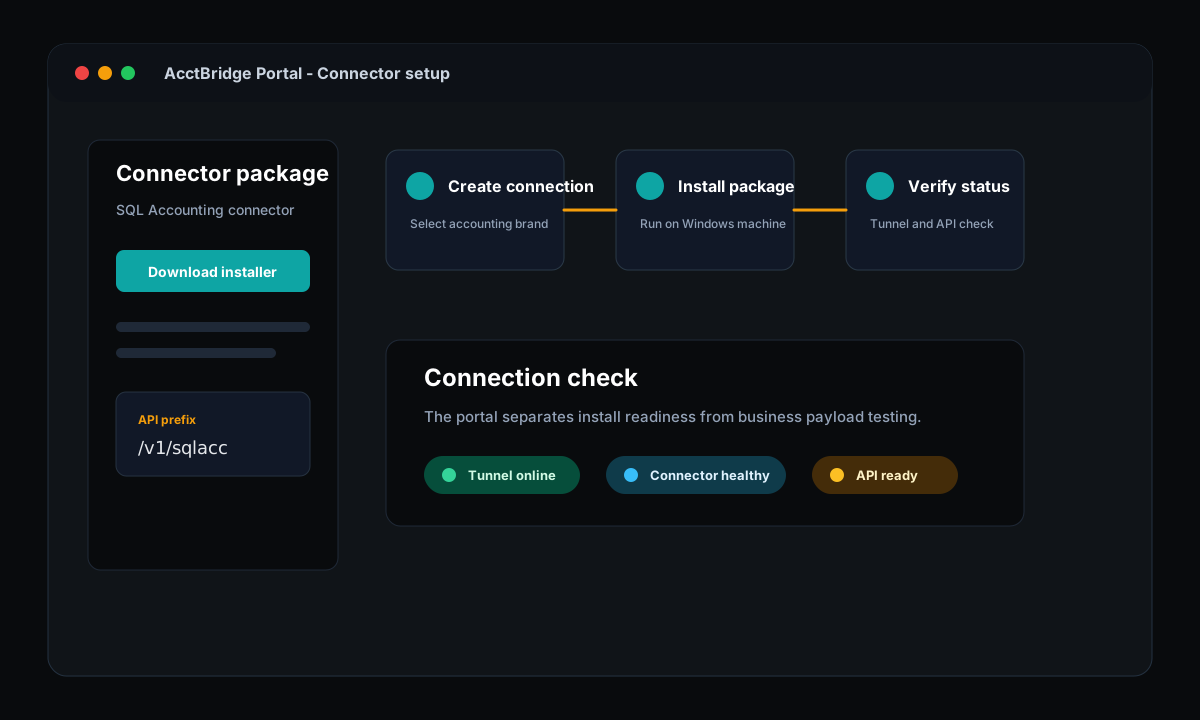
See how AcctBridge keeps SQL Accounting connector setup clear: create an accounting connection, download the installer, run the Windows package, then verify tunnel and API access.
Read article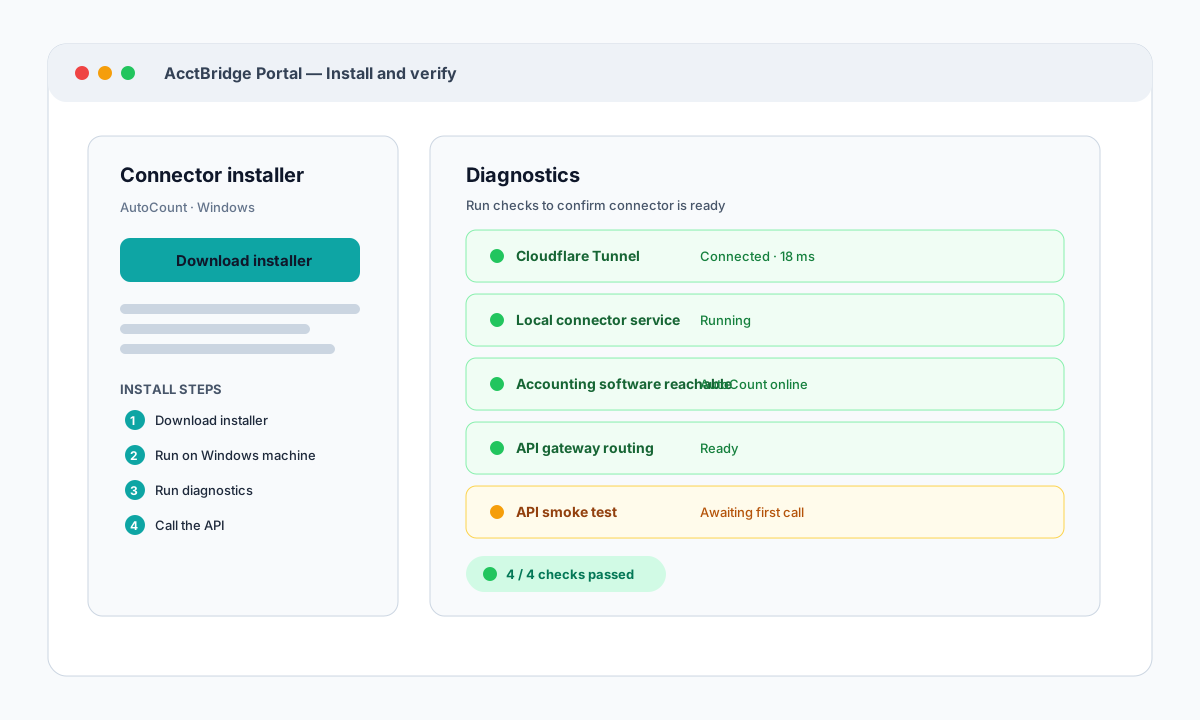
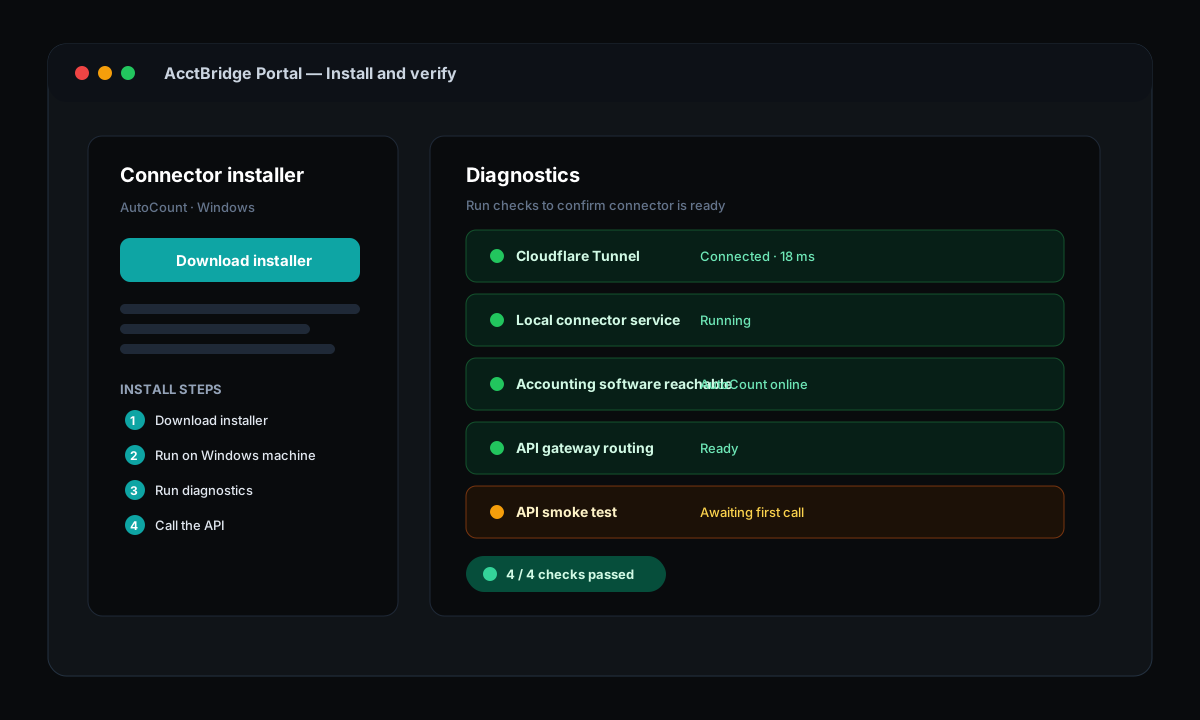
AcctBridge is designed for self-install: download the Windows connector package from the portal, run it on the accounting machine, and use built-in diagnostics to verify every step.
Read article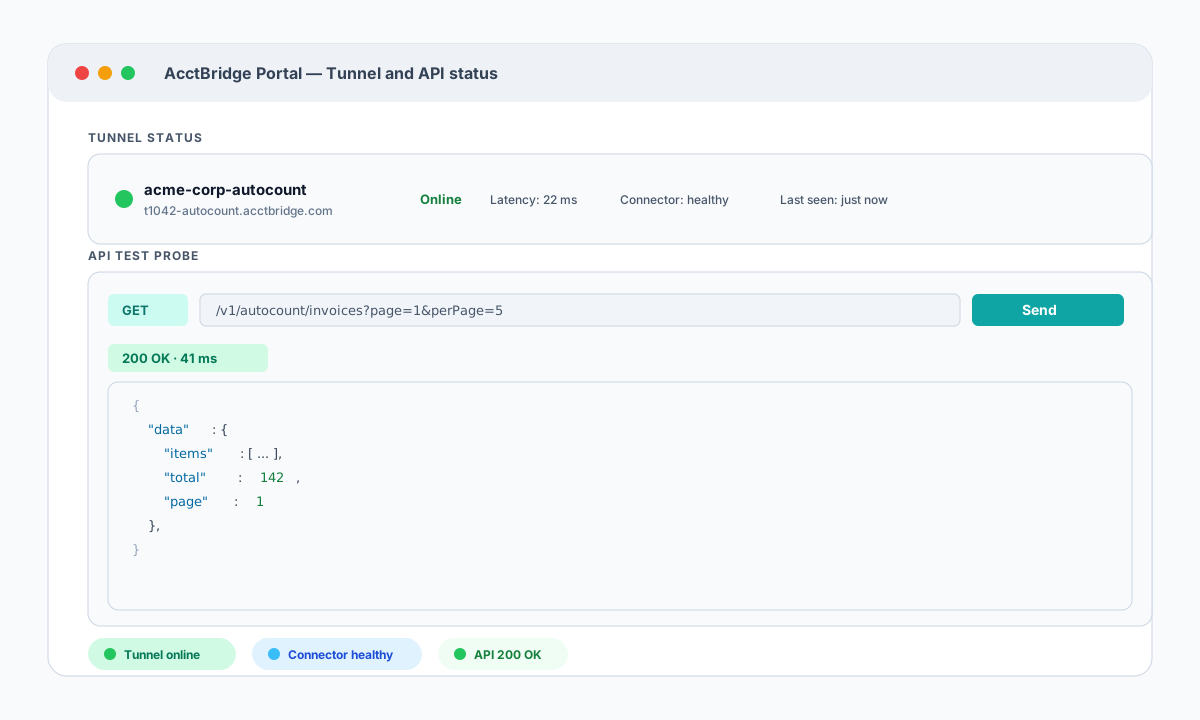
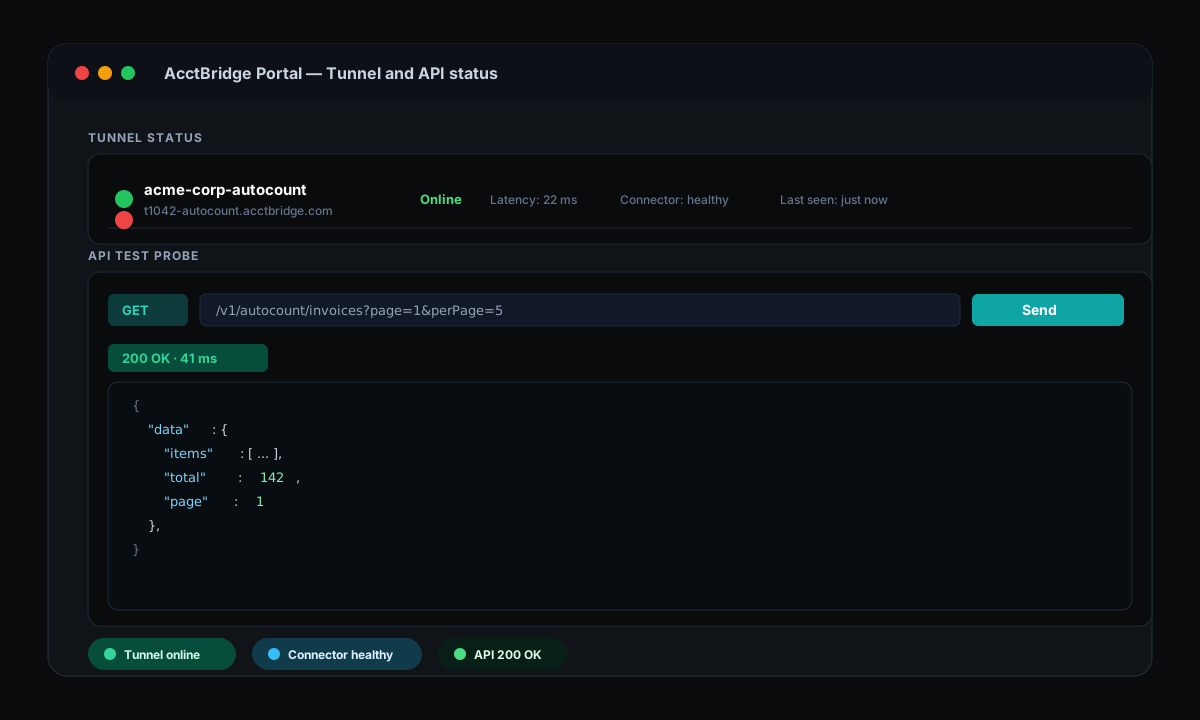
The AcctBridge portal shows live tunnel and connector status for each accounting connection and includes a built-in API test probe so developers can verify endpoints before writing integration code.
Read article