Installation guide
Install the SQL Accounting or AutoCount connector yourself — guided diagnostics from download to first API call
AcctBridge is designed for self-install: download the Windows connector package from the portal, run it on the accounting machine, and use built-in diagnostics to verify every step.
Why this matters
Getting a local accounting connector running should not require IT coordination. AcctBridge packages the setup into a single Windows installer with guided defaults.
Built-in diagnostics show tunnel connectivity, connector health, and API readiness in one view — so problems are visible before the first integration call.
One installer, one machine, no firewall changes
Most accounting API setups require someone to open firewall ports, configure a static IP, or maintain remote-access credentials. AcctBridge avoids all of that.
The connector package installs a local agent on the Windows machine where SQL Accounting or AutoCount is already running. The agent establishes an outbound connection to the AcctBridge gateway — no inbound firewall rule is needed.
- Download the installer from the AcctBridge portal after creating an accounting connection.
- Run the package on the Windows machine where the accounting software runs.
- The installer sets up the local agent and outbound tunnel with guided defaults.
Diagnostics separate install problems from API problems
The most common support overhead in accounting integrations comes from not knowing which layer failed: the network, the local agent, the accounting software, or the API request itself.
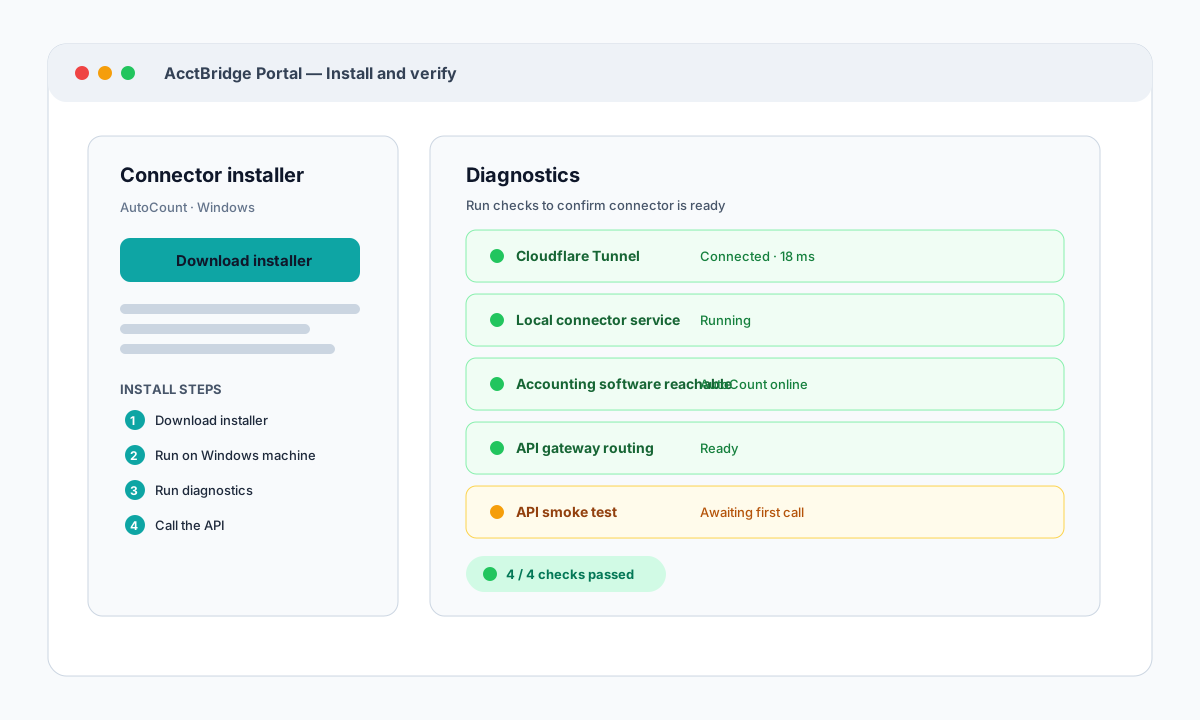
AcctBridge portal includes a diagnostics view that checks each layer independently. Tunnel connectivity, local connector health, accounting software reachability, and API routing each get a separate pass or fail result.
- Cloudflare Tunnel connection: confirms outbound tunnel is live and latency is acceptable.
- Local connector service: confirms the agent process is running on the accounting machine.
- Accounting software reachable: confirms the connector can reach SQL Accounting or AutoCount.
- API gateway routing: confirms the AcctBridge gateway can route requests to this connection.
Problems become visible before they reach integration code
When a diagnostic check fails, the portal shows which step stopped and what to look at next. Implementation partners and internal teams can resolve most issues — a mistyped path, a stopped accounting software, a VPN drop — without escalating to a developer.
This keeps support focused on clear evidence rather than log diving. If an issue needs AcctBridge support, the diagnostics output is the first thing a support conversation starts from.